Give a driver or an investor a fuel rebate
The Fuel rebate on a driver's pay agreement decides how much of the card discount reaches whoever pays his fuel.
Before you start
If the driver has a fuel card, put him on it. See Assign a fuel card to a driver or truck.
Step 1: Open the pay agreement
- Open Drivers, click the driver, then click Details.
- Open the Pay tab and click Update agreement, or Set up driver pay for a first agreement.
Step 2: Choose who pays fuel
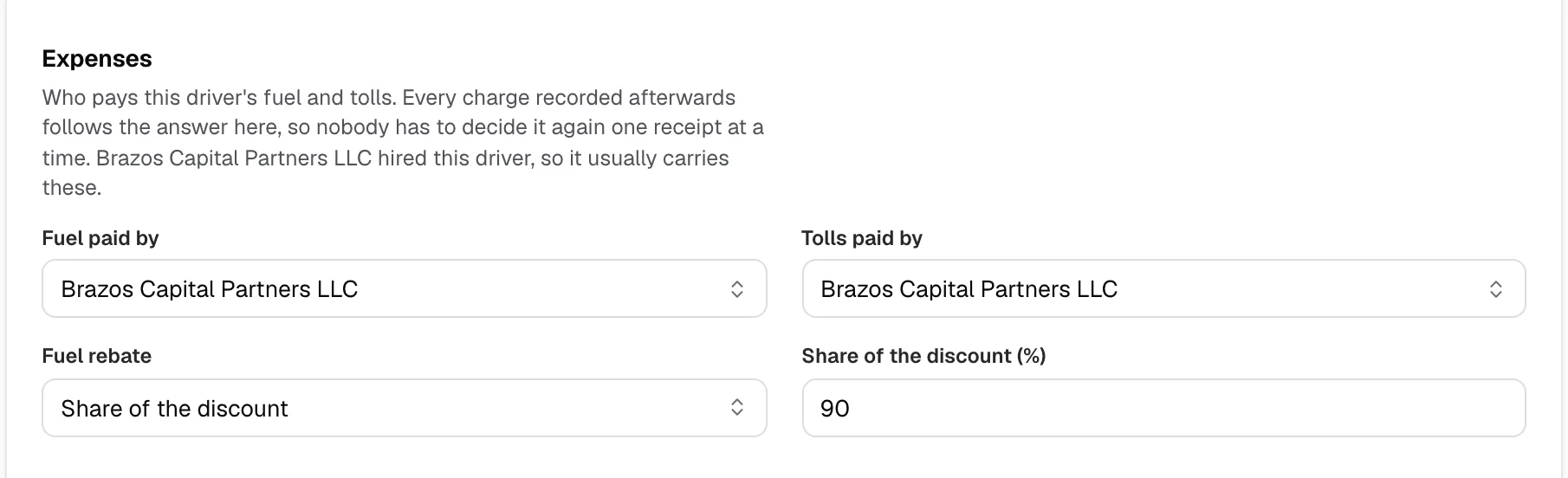
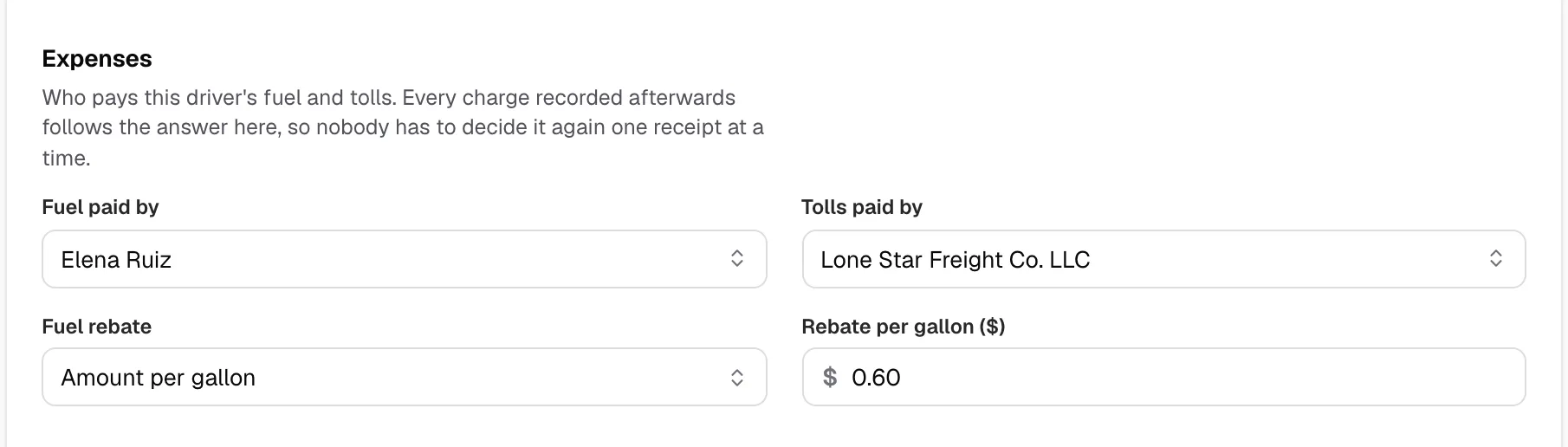
- Under Expenses, pick the driver or the investor company in Fuel paid by. The investor is listed when it is the Hired company.
- Fuel rebate appears below Tolls paid by.
Step 3: Choose the rebate
- Whole card discount: they pay what you paid.
- No discount: they pay the pump price plus fees.
- Share of the discount: type it in Share of the discount (%), such as 90.
- Amount per gallon: type it in Rebate per gallon ($), such as 0.60.
Step 4: Save
- Click Save agreement.
- Fuel bought from Effective from on is charged this way, and statements nobody approved are updated. Each fuel line shows the rebate as its discount.
The purchases are then ticked rows of the payer's statement in Create Statements. Untick one to leave it off that week's statement. See Build a weekly settlement statement.