One set of pay terms, not a formula in every cell
Each driver's pay agreement prices every load, so nobody types a rate into a spreadsheet each week. Company drivers, owner-operators and lease operators each have their own terms.
Yolda prices each driver's loads with the pay terms you agreed, adds deductions, reimbursements, bonuses and advances, and writes a weekly statement. You pay through your usual process, then record it in Yolda.
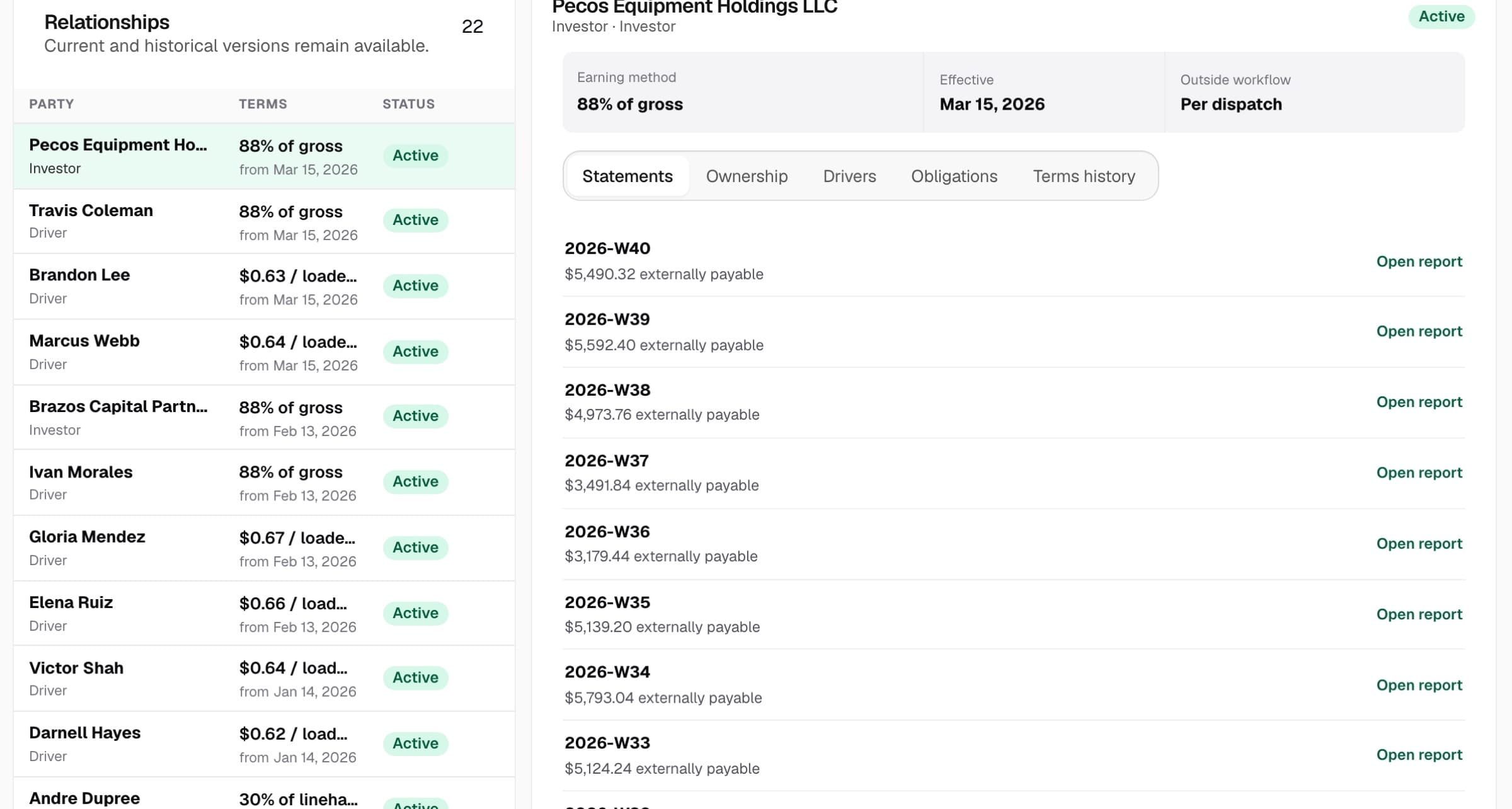
Choose a percentage of the load, a rate per mile, or a flat amount per load. A percentage can be of the gross, the linehaul, or the linehaul plus fuel surcharge. Per-mile pay can count loaded miles or all miles. Add TONU and detention pay if you offer them.
When a load is delivered, Yolda prices it with the pay terms in force on that day. A team load gives each driver their own miles and pay.
Deductions such as a truck lease, reimbursements, bonuses and advances go on the same statement. An advance or a deduction can be split into weekly installments. Fuel and tolls are charged to a driver only when the pay agreement says so.
Pick a driver and Yolda builds the draft statement. Keep or remove each line, then approve it. Approving locks the statement and emails the driver their PDF.
Pay through your usual process: payroll, ACH, check, wire or cash. Then record the method, reference and date in Yolda. Partly paid statements show what is still unpaid.
Each driver's pay agreement prices every load, so nobody types a rate into a spreadsheet each week. Company drivers, owner-operators and lease operators each have their own terms.
New pay terms apply from the date you choose. Statements nobody has approved yet are updated. Weeks you already approved or paid keep the numbers you approved.
Every statement shows the rate each load paid and the loaded and empty miles behind it. Drivers see it in the Yolda driver app and in the PDF, so fewer calls ask why a check is different.
Investors who own trucks in your fleet get their own weekly statements, next to the drivers they hire.
Drivers can share how they want to be paid in the app. The numbers are encrypted, and payroll staff see them only after entering a one-time code sent to their own email.
At the end of the year, export each contractor's totals as a file for your 1099-NEC forms. Yolda does not file tax forms.
Every load is priced by the driver's own agreement, so a percentage driver and a per-mile driver are paid right in the same week. See driver pay models compared.
Truck leases, escrow and advances come off as deductions with a running balance, and truck owners get their own statements. See owner-operator vs. company driver pay.
The numbers are ready when you sit down: review each driver's statement, approve it, and pay through your usual process. See driver settlement software.
Yolda is not a payroll service. It does not send or hold money, it does not print checks, and it does not calculate or file payroll taxes. Keep your payroll provider, your bank or your checkbook. Yolda gives them the right number for each driver, every week, and keeps a record of what you paid.
Connect QuickBooks Online and send each finalized statement to it as a journal entry on the accounts you mapped. Or export load earnings, settlements, driver pay and bonuses as a CSV file for any payroll tool. Connections to ADP, Gusto, Paychex and QuickBooks Payroll are planned and not available yet. See what is live on the integrations page.
This page is about the payroll job: working out what each driver is owed. The weekly statement itself, and what drivers see on it, is covered on our driver settlement software page. Invoices, customer payments and profit by truck are part of trucking accounting software. All of it runs on the same loads, as part of Yolda's TMS software for carriers.
Every Yolda plan includes every module, with unlimited users and drivers. Plans are priced by the number of trucks you run, and self-serve plans start with a 30-day free trial with no credit card required to start.
No. Yolda works out what each driver earned and writes the weekly statement. You pay drivers through your usual payroll, bank or check process, then record the payment in Yolda. Yolda never holds or sends money.
No. Yolda does not calculate, withhold or file payroll taxes, and it does not make W-2 forms. Your payroll provider or accountant still does that. For contractors, you can export year-end totals for your 1099-NEC forms.
Percentage of the load (gross, linehaul, or linehaul plus fuel surcharge), per mile (loaded miles or all miles), and a flat amount per load. You can add TONU and detention pay. Hourly and salary pay are not available for new pay terms.
Not yet. Those payroll connections are planned. Today you can export load earnings, settlements, driver pay and bonuses as a CSV file, or connect QuickBooks Online.
The new terms apply from the date you choose. Loads delivered from that date are priced again, and statements nobody has approved are updated. Approved and paid weeks do not change.
Driver pay is part of every Yolda plan. Plans are priced by truck count, starting at $99 a month for 1–5 trucks, with unlimited users and drivers. Self-serve plans start with a 30-day free trial, and no credit card is required to start.