Add many fuel cards at once
Add a whole list of fuel cards in one file, before any of them is used.
Step 1: Make the list
- Make a CSV file with one column named Card Number, one card on each row.
- No file yet? Click Download template in Step 2 and fill it in.
Step 2: Import the cards
- Open Integrations, then your fuel card company, then Cards.
- Click Import cards.
- Drop the file on Drop a CSV file here. Yolda shows the last four digits of each card.
- One card only? Click Enter manually on the drop area. It opens Add card.
- Click the Import button. It says how many cards, such as Import 3 cards.
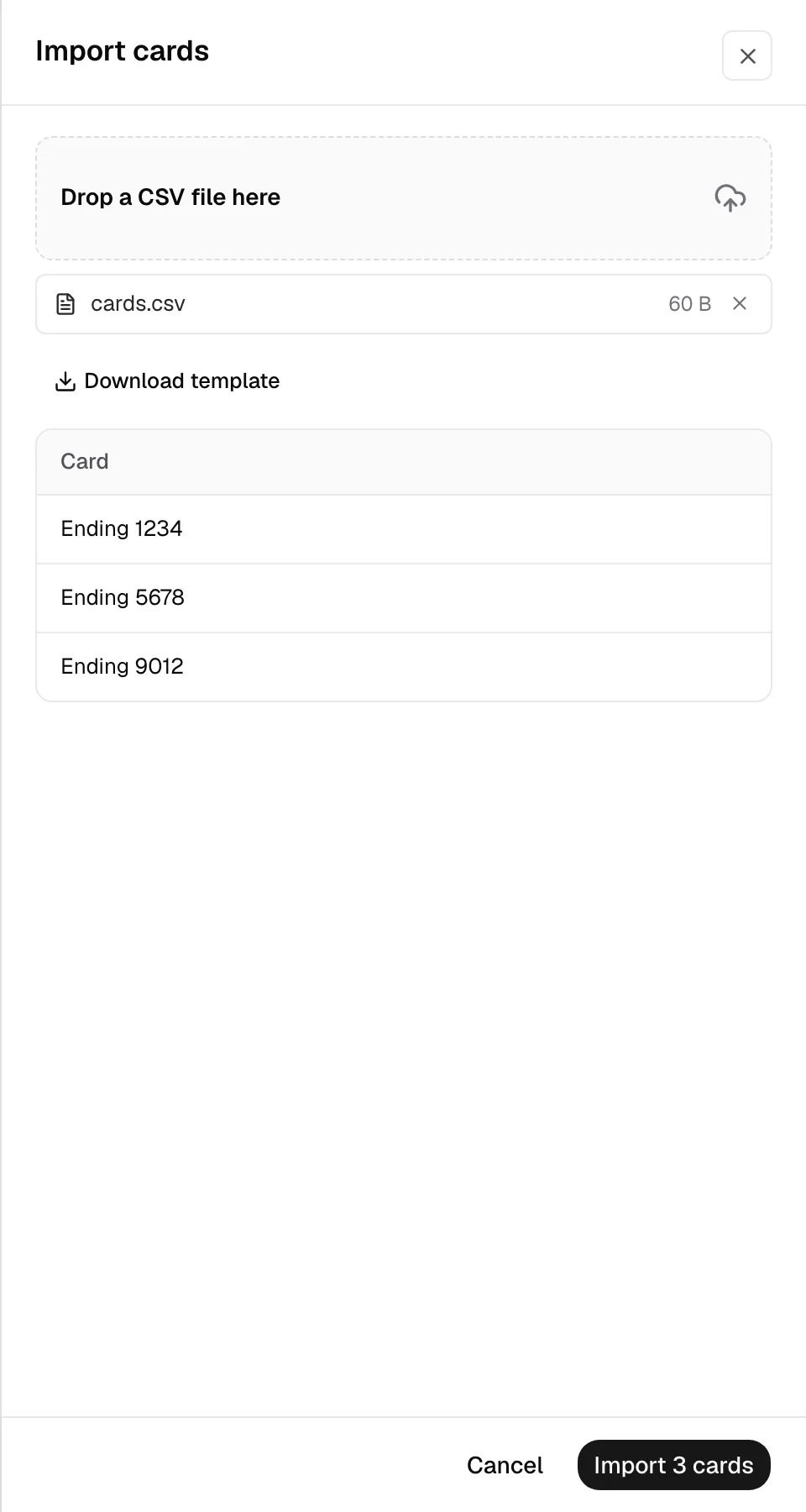
A card already listed is skipped. Yolda keeps only the last digits of each number.
Step 3: Assign the new cards
- A new card reads Nobody yet.
- Click the card, pick the Driver and Truck, set Holding the card since to the day the driver got it, then click Save.
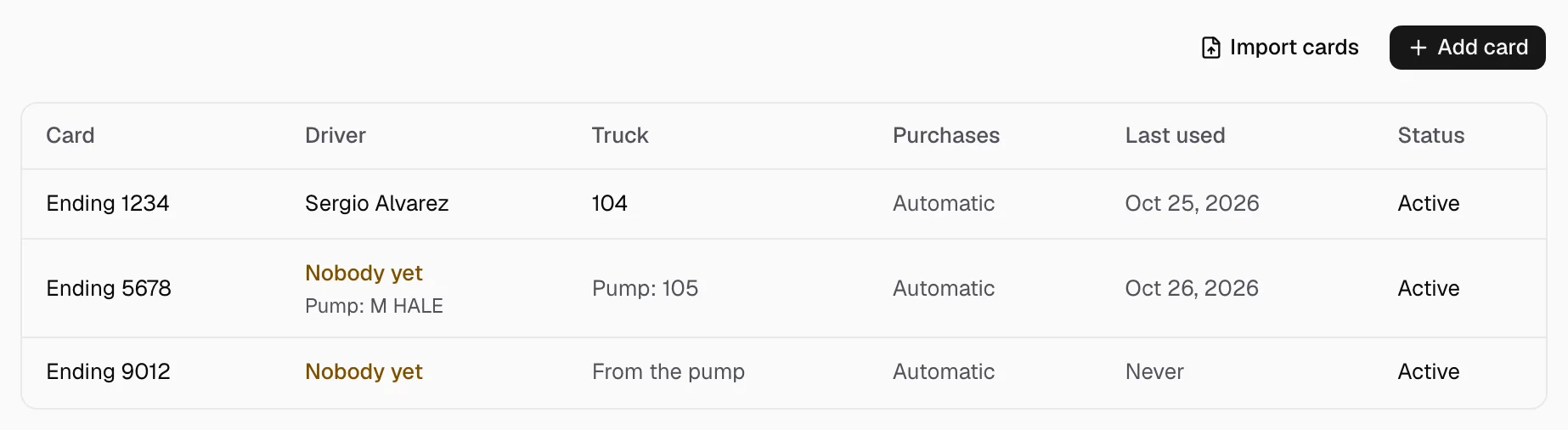
A connected account also adds each card it sees in your purchases, with the name and unit from the pump under it.