Export prepayments to QuickBooks
Yolda has no fuel-card money codes. Credits, reimbursements and deductions on finalized statements go to QuickBooks with each statement you send, and download as one spreadsheet.
Step 1: Map the prepayment accounts
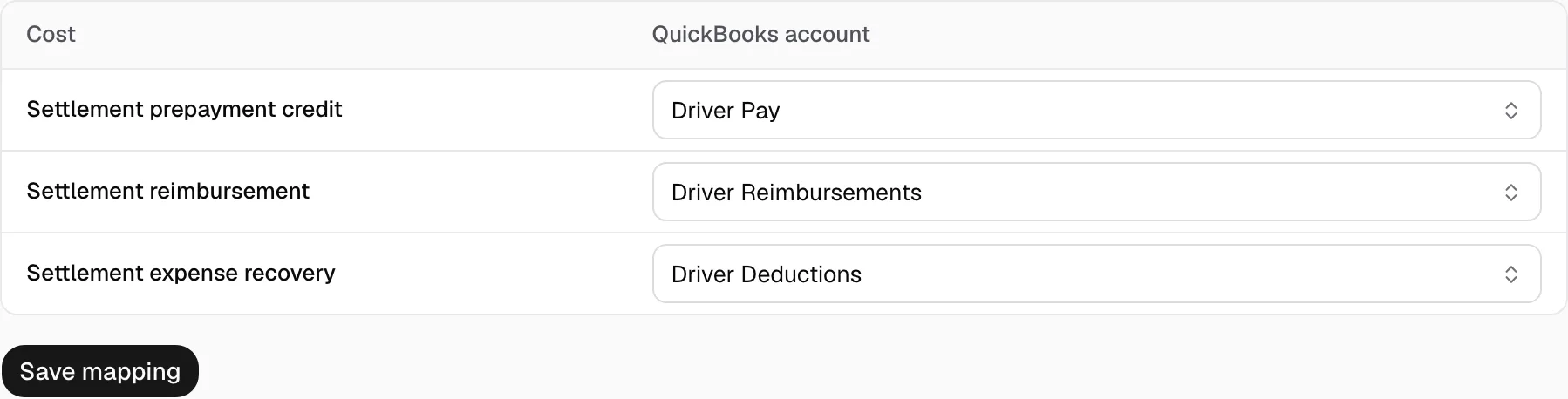
- Open Integrations, then QuickBooks Online, then Costs.
- Pick a QuickBooks account for Settlement prepayment credit, Settlement reimbursement and Settlement expense recovery.
- Click Save mapping.
Step 2: Download the prepayment report
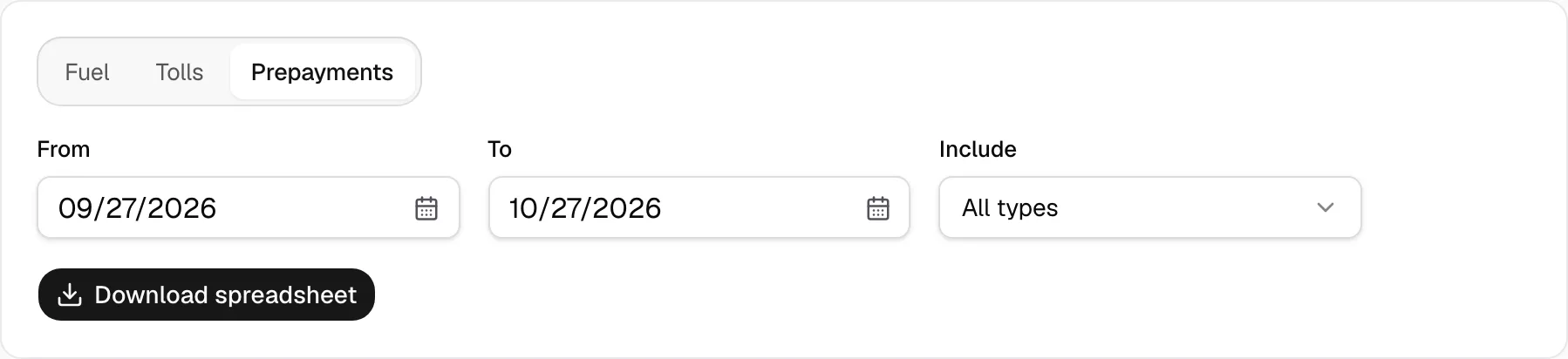
- Open Reports and pick Prepayments. It works without a QuickBooks connection.
- Set From and To. Under Include, pick All types, Credits, Reimbursements or Settlement deductions.
- Click Download spreadsheet.
Step 3: Import it in QuickBooks
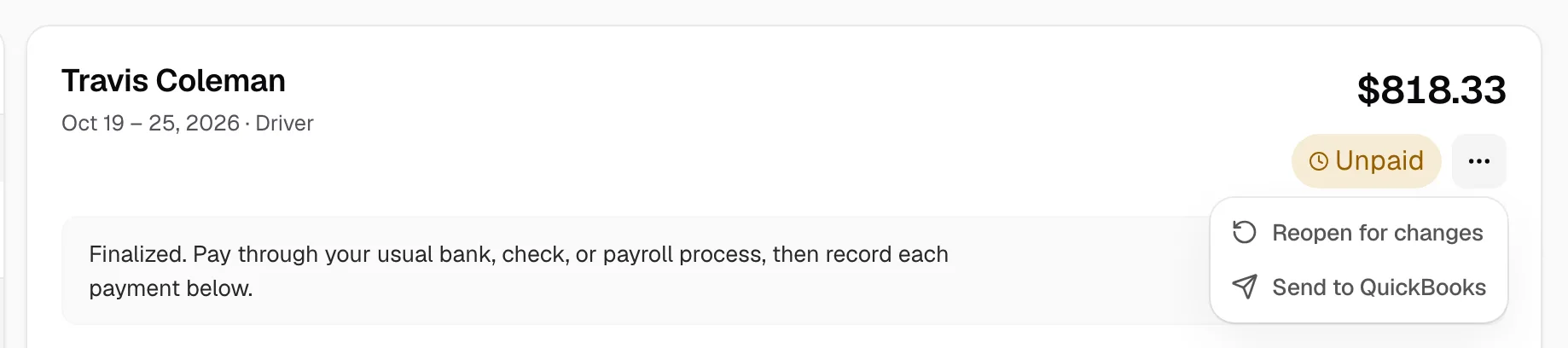
- Connected? Send each statement from Statements with Send to QuickBooks instead. These rows go with it, and importing them too books them twice.
- Not connected: in QuickBooks, click the gear, then Import data, and choose Journal entries. That import needs a journal number, debits and credits, so your accountant adds those columns first. QuickBooks account holds the account you mapped.
- QuickBooks takes fewer than 1,000 rows at a time.