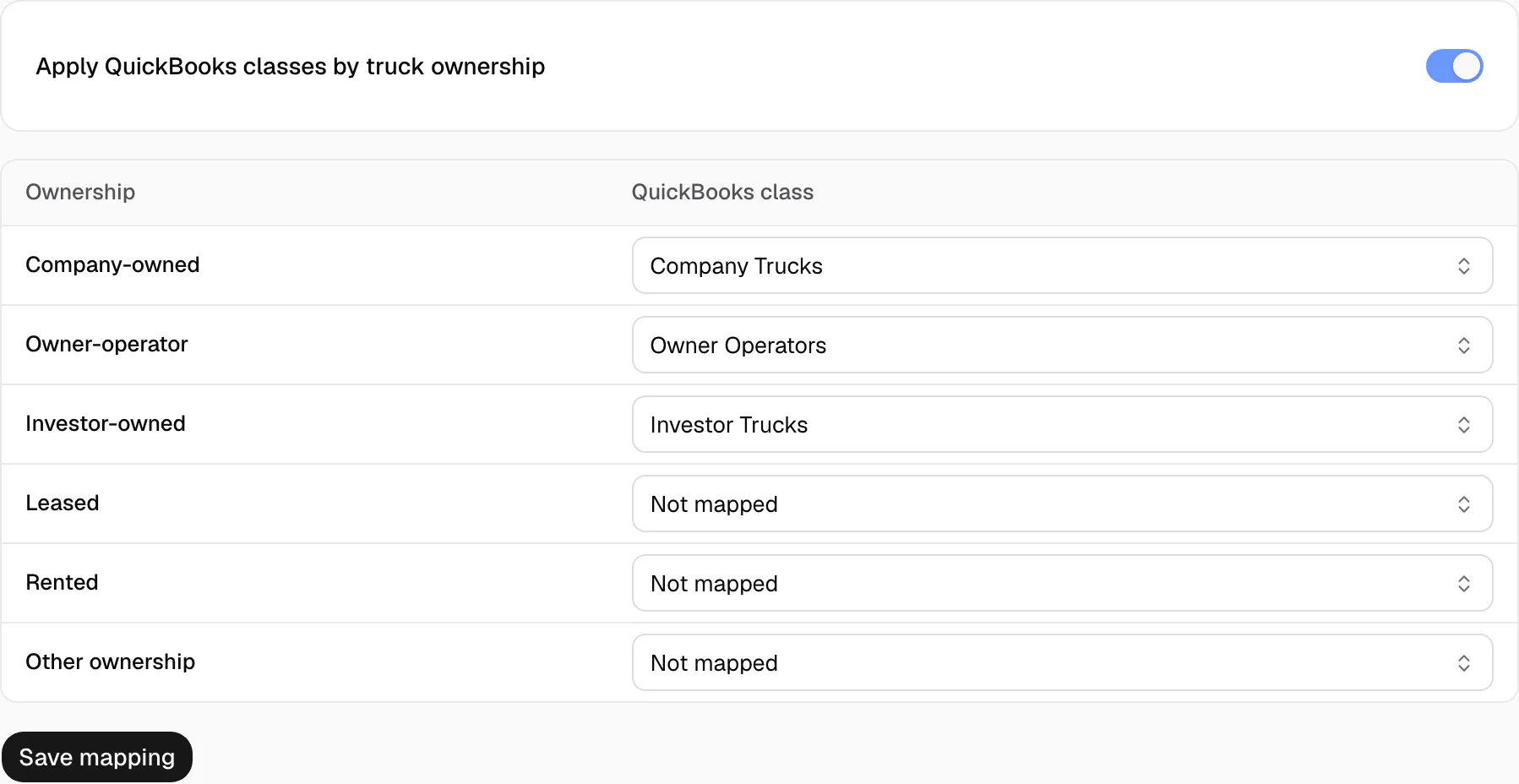
Map truck ownership to QuickBooks classes
Invoices and driver pay sent to QuickBooks carry a class for the truck's ownership.
Before you start
Turn on class tracking in QuickBooks and create your classes. Then click Sync on Connection in Yolda.
Step 1: Turn on classes
- Open Integrations, then QuickBooks Online, then Classes.
- Turn on Apply QuickBooks classes by truck ownership.
Step 2: Map each ownership
- Pick a QuickBooks class for Company-owned, Owner-operator, Investor-owned and each other row you use.
- Click Save mapping.