
Quick answer: A rate confirmation (also called a rate con) is the document a broker or shipper sends to confirm a load's rate, pickup and delivery details, and payment terms before you run it. Before you accept, check the line-haul rate, every accessorial charge, detention terms, pickup and delivery windows, and the payment terms — and make sure they match whatever was agreed on the phone or in a text. A mismatch here is the single most common reason carriers get underpaid on a load.
Key takeaways
- A rate confirmation should list the total rate, all accessorial charges, detention terms, pickup/delivery windows, and payment terms — missing any of these is a red flag.
- Detention pay, layover pay, and TONU (truck ordered not used) terms are often buried in fine print or left off entirely — confirm them before you sign.
- Payment terms (quick pay vs. standard net terms) directly affect your cash flow and should be checked against your factoring agreement if you use one.
- Yolda reads rate confirmations directly into the dispatch board, pulling rate, stops, and reference numbers into a load draft automatically.
A rate confirmation is the contract for that one load. Once you sign it or reply with acceptance, you're bound to the terms on the page — not the terms you discussed on the phone five minutes earlier. Here's how to read one line by line before you commit a truck to it.
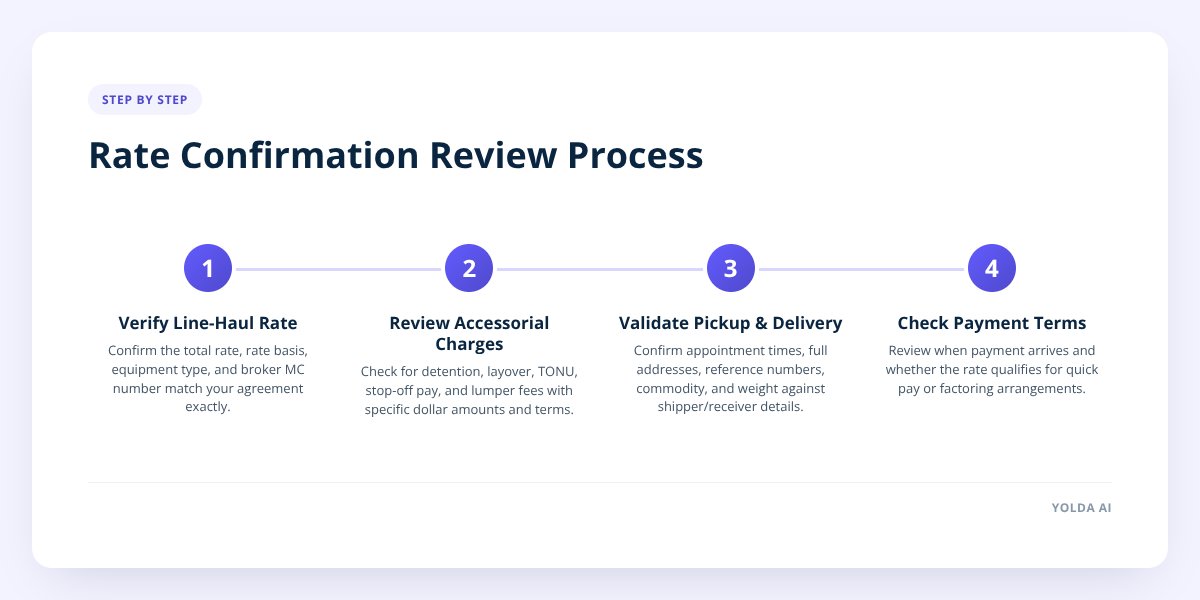
Step 1: Confirm the rate matches what you agreed to
Start with the number itself — the total line-haul rate should match exactly what was quoted, not "close enough." Brokers sometimes send a rate con with a typo, a rate for the wrong truck type, or a number that reflects an earlier offer before negotiation.
Check these specifics:
- Total rate — the full dollar amount for the load, before any accessorials.
- Rate basis — whether it's a flat rate or a per-mile rate, and if per-mile, what mileage figure they used.
- Equipment type — dry van, reefer, flatbed, or power only — matches what you're actually sending.
- Broker or shipper MC number — appears on the rate con and matches the company you've been talking to.
If the mileage on the rate con looks off from what your route planning shows, say something before you accept. A rate con priced on the wrong miles can quietly shortchange a per-mile deal, and it's much easier to fix before you've signed than after you've delivered.
Don't skip this: Never run a load off a verbal agreement alone. If the broker says "I'll send the rate con after you're loaded," get it in writing before the truck leaves the yard — a phone quote isn't enforceable the way a signed rate confirmation is.
Step 2: Read every accessorial charge, not just the ones you expect
Accessorials are the extra charges for anything beyond basic pickup-to-delivery hauling, and they're where a lot of carriers leave money on the table. Common ones include:
- Detention — pay for time spent waiting beyond the free loading/unloading window, typically triggered after a set number of hours.
- Layover — pay for an overnight delay caused by the shipper or receiver, not the carrier.
- TONU (truck ordered not used) — a flat payment if the load is cancelled after you've committed a truck and driver.
- Stop-off pay — extra compensation for each additional pickup or delivery stop beyond the first and last.
- Lumper reimbursement — repayment for fees paid to a third-party loading/unloading service at the dock.
A rate con that lists a rate but says nothing about detention or TONU isn't necessarily refusing to pay them — but if it's silent, you have nothing to point to if a dispute comes up. Get the terms in writing on the document itself, including the hourly detention rate and how many free hours apply before it kicks in.
Worth noting: detention pay for your own drivers works differently than detention pay from a broker. On the carrier side, detention is typically a waiting-time claim your driver submits and your dispatcher approves — it isn't something an ELD calculates automatically, and it has to be backed by the actual timestamps from check-in to check-out at the dock.
Step 3: Check pickup and delivery details against the actual appointment
The pickup and delivery section needs to match the appointment times you confirmed with the shipper and receiver directly — not just the broker's summary. Look for:
- Pickup date and time window — firm appointment or first-come-first-served, and whether it's a hard or flexible window.
- Delivery date and time window — same question, plus whether late delivery triggers a rate reduction.
- Full addresses — street address, city, state, and zip for every stop, not just a city name.
- Reference numbers — PO numbers, pickup numbers, or BOL numbers the receiving dock will ask for.
- Commodity and weight — what you're hauling and how much it weighs, which affects both your equipment choice and any permits needed.
If the rate con says "FCFS" (first come, first served) but the shipper told your driver it's a hard appointment, call the broker and get it corrected before the truck rolls. These details also matter for routing — if your dispatch software draws the route from the addresses on the load, a wrong zip code can throw off your mileage and your ETA before the driver even leaves.
Step 4: Review payment terms and how they affect your cash flow
Payment terms tell you when you'll actually get paid, and they vary more than most new carriers expect.
| Term | What it means | Typical timing |
|---|---|---|
| Standard/Net terms | Broker pays on their normal cycle | Often 30 days from invoice |
| Quick pay | Broker pays faster for a fee or discount | Often a few days to two weeks |
| Factoring-eligible | Load can be sold to a factoring company for faster cash | Same day to a few days, minus a factoring fee |
Check whether the rate con mentions a quick-pay option and what it costs — some brokers charge a percentage of the rate for faster payment, and that cost should factor into whether the rate is actually worth it for your business. If you factor your invoices, confirm the broker is on your factoring company's approved list before you run the load, since not every broker is factorable with every factoring company.
Also check for a factoring notice of assignment clause — this tells the broker who to pay if you've sold the invoice to a factor. If your rate con doesn't match the payment instructions on file with your factor, that mismatch can delay payment by weeks even after the load is delivered and the paperwork is clean.
Step 5: Compare it against your own copy before you sign
Before you hit accept, pull up your own notes from the original call or message thread and compare them side by side with the rate con. This step catches more errors than any other single check, because it's the only point where you're comparing two independent records instead of trusting one document.
Use this checklist every time:
- Confirm the total rate matches the agreed number exactly.
- Confirm the rate basis (flat or per-mile) and mileage figure are correct.
- Confirm detention, layover, and TONU terms are stated, not left blank.
- Confirm pickup and delivery windows match what the shipper and receiver told your driver.
- Confirm all stop addresses and reference numbers are complete.
- Confirm the payment terms (standard, quick pay, or factoring) match what you expected.
- Confirm the broker's MC number matches the company you negotiated with.
- Save a signed copy before the truck leaves, not after delivery.
A free rate confirmation template is a useful reference if you ever need to issue your own rate con as the carrier — for example, when you're booking a load out to another carrier or want a clean format to compare incoming rate cons against.
What to do when the rate con doesn't match what you agreed to
If the numbers don't line up, call the broker before you sign — never accept a rate con "as is" planning to sort it out later. Brokers can and do send corrected rate confirmations; it's a normal part of the process, not a confrontation. Get the correction in writing as a revised document, not a verbal promise over the phone.
If a broker won't correct a clear error or refuses to put accessorial terms in writing, that's worth treating as a signal before you commit a truck. You're allowed to walk away from a load before you've accepted it, even if you've already discussed the lane.
What to do next
Once you're consistently running loads, keeping rate cons straight across a full dispatch board gets harder to do by hand — especially when you're juggling reference numbers, accessorial terms, and payment status across a dozen loads at once. Yolda, an AI-native TMS built for trucking companies, reads a rate confirmation when you drop it in and builds the load draft automatically — rate, stops, and reference numbers pulled straight from the document for a dispatcher to review and approve. That's one less place for a typo or a missed accessorial to slip through.
If you want to see how that fits into the rest of your dispatch workflow, take a look at Yolda's dispatch tools or book a demo to see it on a real load.
Checklist: reviewing a rate confirmation before you accept
- Confirm the total rate matches the number you negotiated.
- Check the rate basis and mileage figure for accuracy.
- Verify detention, layover, and TONU terms are written out, not blank.
- Match pickup and delivery windows against what the shipper and receiver confirmed.
- Check every stop address and reference number for completeness.
- Review payment terms and confirm quick-pay or factoring eligibility if you need it.
- Verify the broker's MC number matches the company you've been working with.
- Get any correction in writing before the truck leaves the yard.
- Save a signed copy of the final rate con before delivery.

