
Quick answer: The fastest way to track fuel purchases by state without maintaining a spreadsheet is to let a fuel card or connected system capture the jurisdiction, gallons, and date automatically at the pump, then sync that data into whatever tool calculates your IFTA totals. Owner-operators who still log fuel by hand are the ones paying penalties for mismatched records — not because they bought the wrong fuel, but because they tracked it the wrong way.
Key takeaways
- IFTA requires fuel records broken out by jurisdiction, not just a total — a single multi-state trip can touch four or five different tax rates.
- Fuel cards from providers like EFS, Comdata, WEX, and Pilot capture the purchase location automatically, which removes the biggest source of manual-entry error.
- The International Fuel Tax Agreement (IFTA), administered through member jurisdictions including every U.S. state except Alaska and Hawaii, requires carriers to retain fuel records for four years according to the IFTA Procedures Manual.
- Reconciling fuel receipts against mileage by state is the step most owner-operators skip — and the one auditors check first.
Why Spreadsheets Fail Owner-Operators Specifically
A spreadsheet fails here because fuel tax isn't about how much you spent — it's about where you spent it relative to where you drove. IFTA assigns tax liability by jurisdiction based on miles traveled in each state, then credits you for fuel tax already paid at the pump in that state. Get the "where" wrong, and the math never balances, no matter how carefully you add up gallons.
For a single-truck operation, the failure point is almost always timing. You fuel up in Ohio on a Tuesday, cross into Indiana and Illinois by Thursday, and by the time you sit down to type receipts into a spreadsheet on Sunday night, you're reconstructing a week from memory and a shoebox of paper.
Small fleets hit a second problem: consistency. If you have two or three drivers each keying in their own fuel stops, you get two or three different habits — some round gallons, some skip the state field, some lose receipts entirely. The spreadsheet isn't the tool that broke; it's that a spreadsheet requires a human to enter clean data every single time, and that almost never survives a real dispatch schedule.
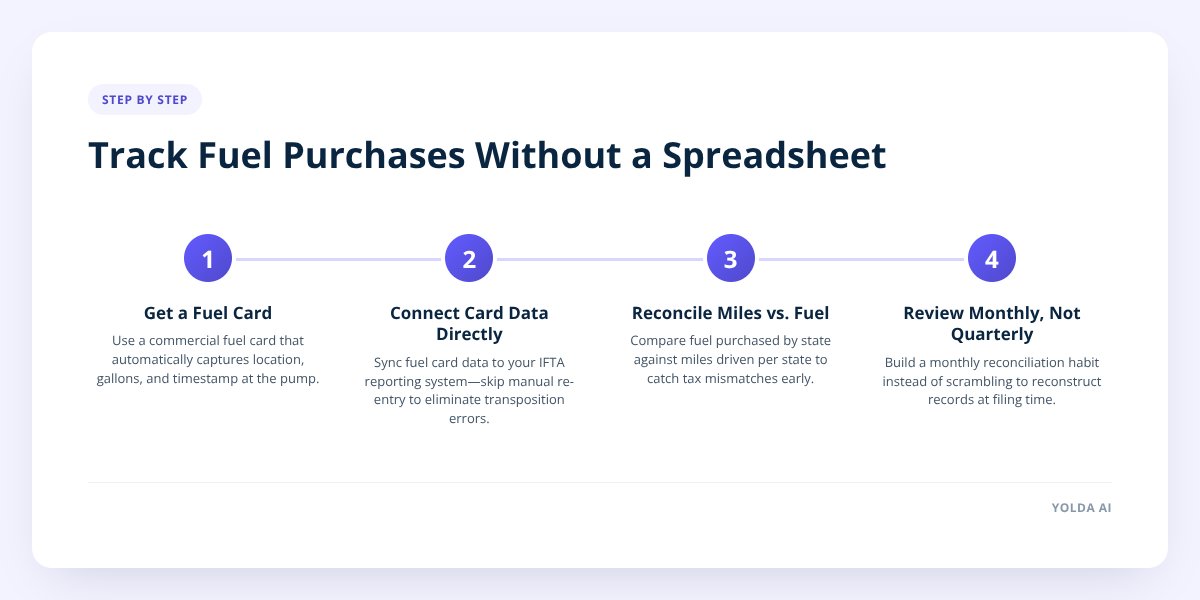
Step 1: Put a Fuel Card Between You and the Pump
A fuel card is a payment card built for commercial fueling that automatically records the merchant location, gallons purchased, price per gallon, and timestamp with every transaction. This single step eliminates the most common error in manual fuel tracking: a driver forgetting which state they were actually in, or writing down the wrong one from memory.
Fuel cards that work this way today include EFS, Comdata, Motive Fuel, WEX, Pilot, Love's, TCS, Relay, Quikq, and Mudflap. Every swipe creates a digital record tied to a specific truck stop address, which means the jurisdiction is captured at the moment of purchase — not reconstructed later from a crumpled receipt.
If you're still paying with a personal debit card or cash at the pump, this is the first thing to fix, regardless of what you do next. A fuel card doesn't just organize your records; it creates them correctly the first time.
Step 2: Stop Re-Typing What the Card Already Captured
Once a fuel card is capturing jurisdiction data automatically, the next failure point is re-entering that data into a spreadsheet by hand. This step is where most of the "I'll do it at the end of the quarter" backlog comes from, and it's also where transposition errors creep in — a 94.2-gallon fill-up becomes 942, a Kentucky stop gets filed under Tennessee.
The fix is to connect the fuel card data directly to whatever system calculates your IFTA totals, so the gallons-by-state figures flow in without a manual step. Yolda's IFTA reporting pulls fuel data in through connected fuel cards and calculates the quarterly jurisdiction totals automatically, so an owner-operator isn't rebuilding a state-by-state fuel ledger from receipts every three months.
This matters most for small fleets running two or three trucks, where nobody has a dedicated back-office person. The data capture happens once, at the pump, and the reporting step just reads it.
Step 3: Reconcile Fuel Totals Against Miles by State — Not Just Against Receipts
This is the step a spreadsheet almost never forces you to do, and it's the one that actually prevents an IFTA mismatch. Your fuel tax liability isn't based on fuel purchased in a state — it's based on miles driven in that state, with fuel tax paid there credited against it. A driver can buy all their fuel in one cheap state and still owe tax in five others where they never stopped at a pump.
Here's a concrete example. Say a truck runs from Chicago to Dallas and back over a week, fueling only in Illinois and Oklahoma because those stops had the lowest posted price. The truck still accrued taxable miles in Missouri, Arkansas, and Texas — states where no fuel was purchased at all. Without reconciling miles against fuel, that truck looks like it owes a disproportionate amount in the states it drove through but didn't fuel in.
Don't skip this: IFTA assesses tax by miles driven per jurisdiction, not dollars spent per jurisdiction — a truck can owe tax in a state where it never bought a drop of diesel. Reconcile fuel against mileage every quarter, not just at filing time.
Route and mileage data pulled automatically for each load — rather than estimated or entered after the fact — is what makes this reconciliation possible without a manual audit. When miles are tracked per load and per state as the truck actually runs, the quarterly comparison against fuel purchases becomes a check, not a reconstruction project.
Step 4: Build a Monthly Habit Instead of a Quarterly Scramble
IFTA is filed quarterly, but the record-keeping should never wait that long. A fuel record you check monthly catches a missing receipt or a mislabeled state while the trip is still fresh in your memory — not three months later when you're staring at a blank line and can't recall which truck stop it was.
Set a standing 15-minute review on the same day each month:
- Confirm every fuel transaction synced from the card — check for gaps where a receipt exists but no digital record does.
- Spot-check two or three fill-ups against the actual route to catch a mislabeled jurisdiction.
- Flag any fuel purchase missing gallons, price, or location before it becomes a quarter-end problem.
- Note any state where miles were driven but no fuel was purchased — that's a credit you'd otherwise overlook.
- Confirm the fuel card balance matches what hit your bank statement, catching duplicate charges early.
This habit takes less time overall than a quarterly scramble, and it means filing day is a review, not a reconstruction.
What to Do If You're Running Mixed Fuel Cards or Cash Purchases
If some fuel is bought on a card and some is paid in cash — common when a driver fuels at an independent truck stop that doesn't take the company card — you need a fallback that still captures the jurisdiction at the time of purchase. The safest habit is a photo of the receipt taken immediately, before the driver leaves the diesel lane, with the state visible on the printed address.
A driver mobile app that lets a driver snap a receipt from the cab and attach it to the trip record solves this without requiring the driver to remember anything later. Yolda's driver app lets drivers capture fuel and toll receipts directly from their phone, where they land in a review queue rather than a shoebox, keeping cash purchases just as traceable as card ones.
The mixed-method trap is treating cash purchases as an afterthought you'll "deal with later." Later is exactly when the state gets forgotten, the gallons get rounded, and the receipt gets lost in a cab console. Capture it at the pump or don't expect to reconcile it at quarter-end.
Diesel price volatility — which has been a real strain for owner-operators through recent fuel surges — makes accurate per-state tracking even more important, since the dollar difference between states can be significant on a given week. We covered what actually changes in your filing when prices swing mid-quarter in IFTA When Diesel Prices Swing, which is worth reading alongside this if your fuel costs have been unpredictable lately.
What to Do Next
Start with the fuel card, not the software. If you're not already running every fuel purchase through a card that captures jurisdiction automatically, that's the fix that pays off before anything else does. Once that's in place, the reporting and reconciliation steps stop being manual work and start being a review — which is the whole point of not using a spreadsheet in the first place.
For owner-operators and small fleets who want the fuel data, mileage, and quarterly IFTA calculation to live in one place instead of three, Yolda connects fuel cards, route miles, and jurisdiction reporting so the quarterly numbers are ready before the filing deadline, not assembled the week of it. You can see how the IFTA reporting works or book a demo at yolda.ai.
Checklist: Track Fuel Purchases by State Without a Spreadsheet
- Switch all fuel purchases to a commercial fuel card that records location automatically.
- Connect the fuel card to your IFTA reporting tool so jurisdiction totals calculate without manual entry.
- Photograph any cash or off-card fuel receipt immediately, with the state visible.
- Reconcile fuel purchased per state against miles driven per state every month, not just quarterly.
- Flag states where miles were driven but no fuel was bought — that's a potential credit.
- Confirm every driver uses the same fuel card and receipt-capture method, with no exceptions.
- Review the monthly fuel log for gaps, duplicates, or mismatched gallons before each quarter closes.


