 WinFactor setup guide1 min read
Connect WinFactor to Yolda
Factors like Pro Funding and Capital Depot run on WinFactor. Yolda uploads your invoices there.
Step 1: Ask your factor for FTP access
- Email your factor's representative for WinFactor FTP credentials, one set per MC number.
- They send a Host, Username and Password.
Email to send
- To
- [Your factor's representative's email]
- Subject
- WinFactor FTP access for Yolda
Hello,

We use Yolda as our TMS. Please give us WinFactor FTP access so Yolda can send our invoices to you. Yolda connects over SFTP or FTPS only.

Please send:
- Host
- Username
- Password
- The remit notice (Notice of Assignment) to print on our invoices

If our login is limited by IP address, please allow Yolda's server address 52.73.111.217.

Yolda uploads one PDF per invoice to our home folder, named by its invoice number: the invoice, rate confirmation, then BOL or POD.

Our MC number is [Your MC number].

Thank you,
[Your name]
[Your company name]
[Your email]
Replace the marked blanks before you send or paste.
Step 2: Add WinFactor in Yolda
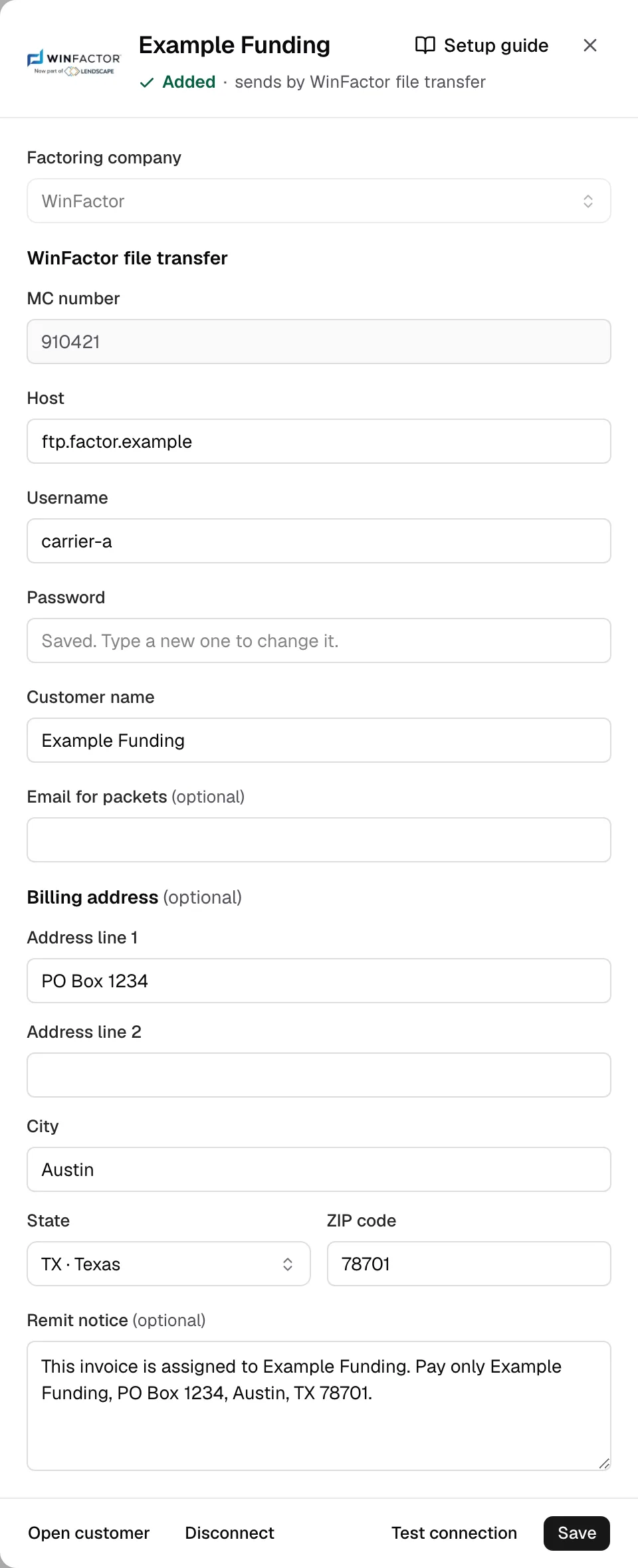
- Open Integrations, Factoring, then WinFactor. Its sign-in sits under Factoring company.
- MC number comes from Settings. Enter Host, Username and Password from your factor.
- Type your factor's name in Customer name. Email for packets is only a fallback.
- Copy your Notice of Assignment into Billing address and Remit notice.
Step 3: Test and save
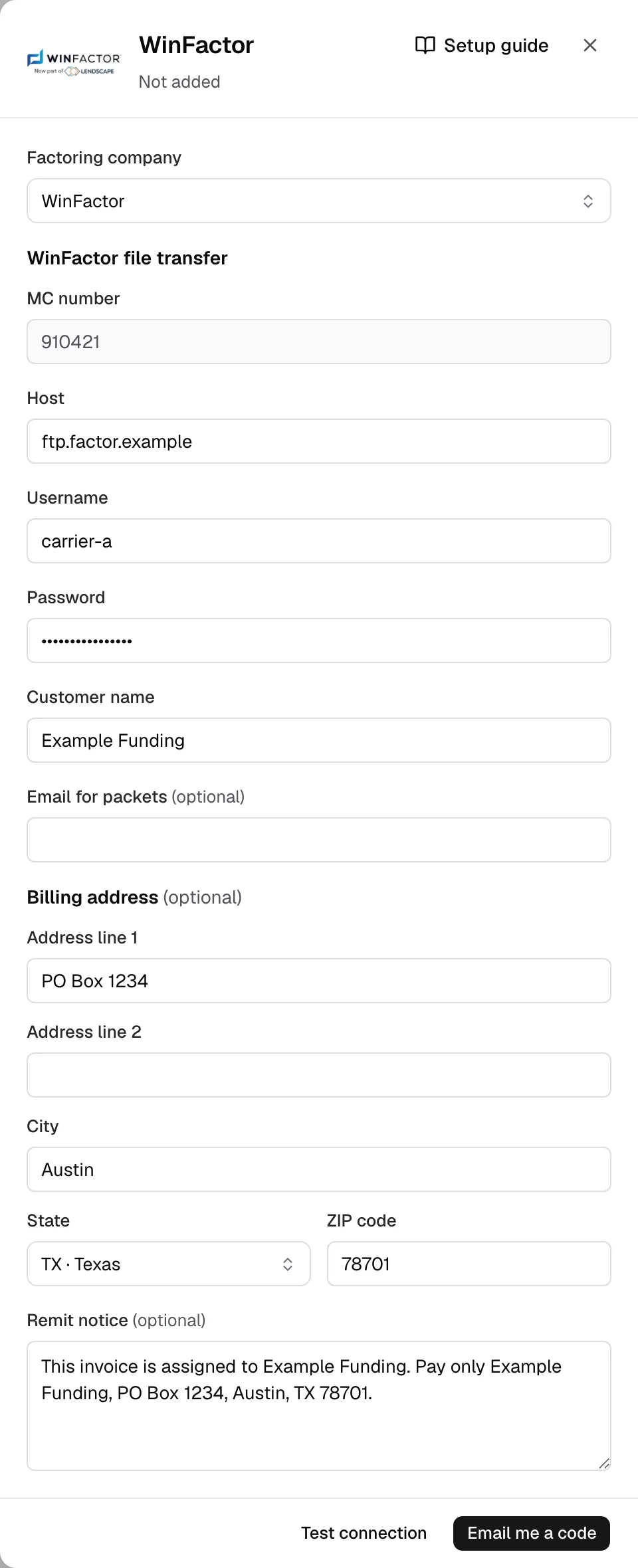
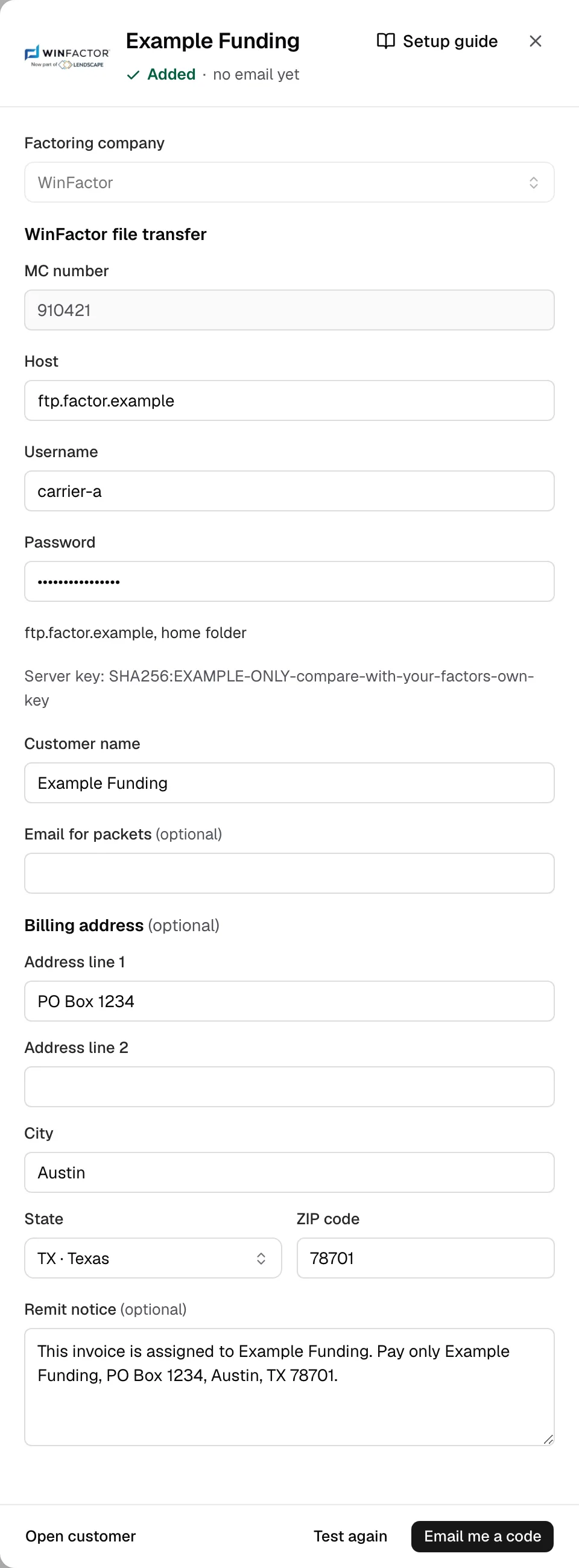
- Click Test connection. Yolda adds your factor, signs in and shows the server.
- Over SFTP it keeps the Server key.
- Click Email me a code, enter it, then click Save.
Step 4: Send invoices
- Your factor's drawer reads sends by WinFactor file transfer.
- One invoice: in Finances, open the invoice, or click Invoice on a delivered trip. Tick Remit to a factoring company, pick your factor, click Create invoice or Save changes, open it again, then click Send to WinFactor.
- Batch: tick them in Open invoices, click Create batch, then Send on Batch history.
- It reads Uploaded to WinFactor. Open the WinFactor client portal shows its review.
- When paid, click Mark paid in Open invoices.