Haul Pay setup guide1 min read
Connect Haul Pay to Yolda
Yolda sends invoices and paperwork into HaulPay's API.
Step 1: Get your API token from HaulPay
- Email HaulPay for integration access:
Email to send
- To
- olivia@haulpay.io
- Subject
- API Token Request [Your company name]
Hello,

We factor with HaulPay and use Yolda as our TMS. Please turn on integration access for our HaulPay account, so we can generate an API token and Yolda can send our invoices and paperwork to HaulPay.

Our MC number is [Your MC number].

Thank you,
[Your name]
[Your company name]
[Your company phone]
[Your email]
Replace the marked blanks before you send or paste.
- HaulPay then emails how to make the token (Settings, API, Generate Token). Copy it.
Step 2: Add Haul Pay in Yolda
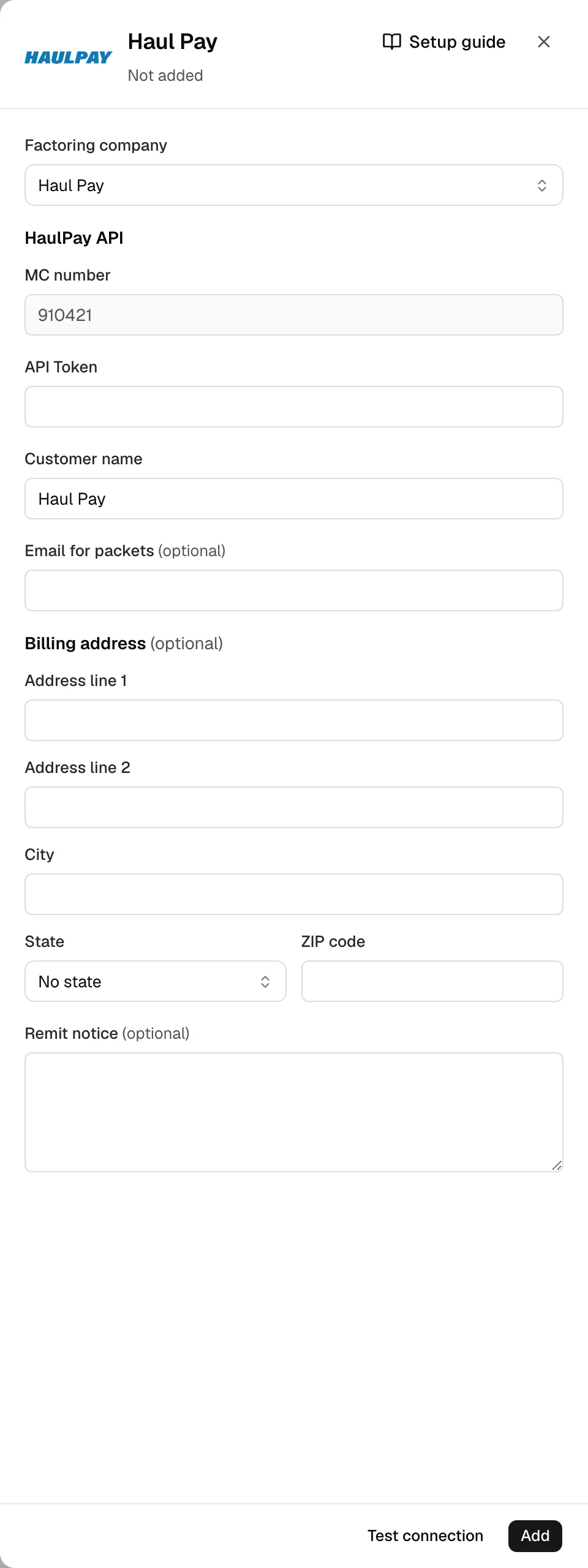
- Open Integrations, Factoring, Haul Pay. Its sign-in is under Factoring company.
- MC number comes from Settings. Paste the token in API Token.
- Customer name is filled in. Email for packets is optional. Add any Billing address and Remit notice lines from your Notice of Assignment.
Step 3: Test and save
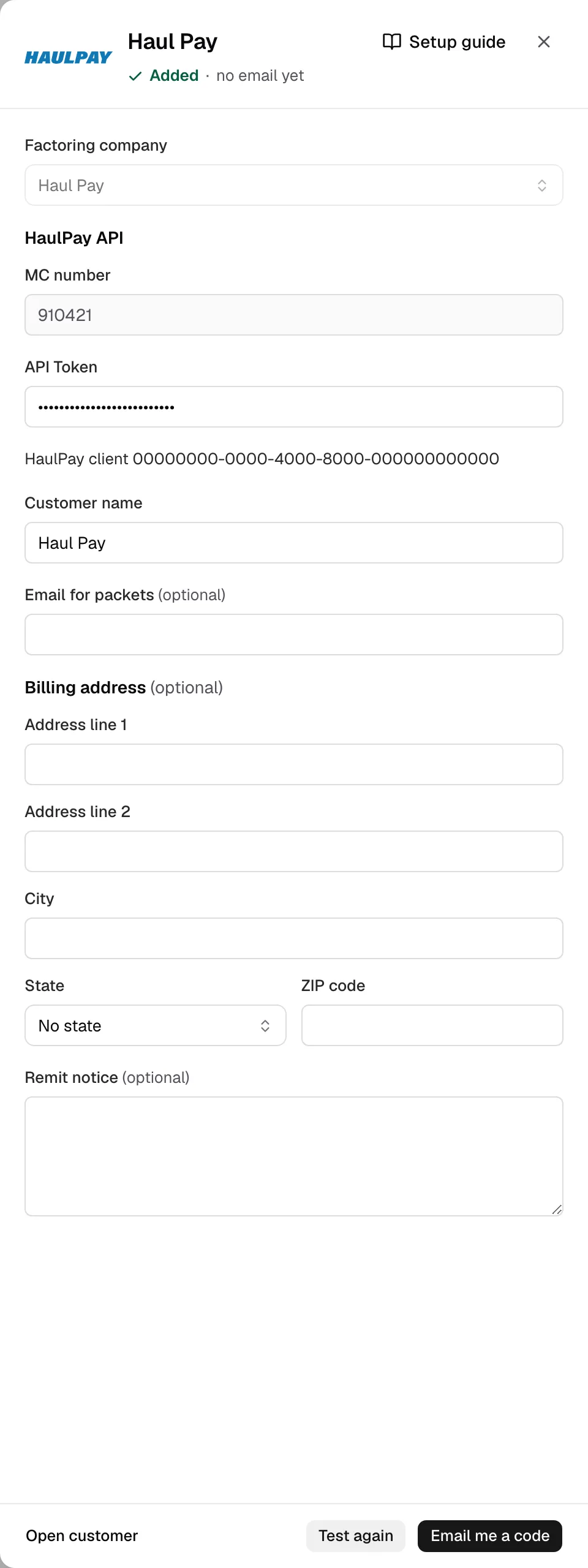
- Click Test connection. Yolda adds Haul Pay and checks the token.
- Click Email me a code, enter it, then Save.
Step 4: Send invoices
- The drawer reads sends by HaulPay API.
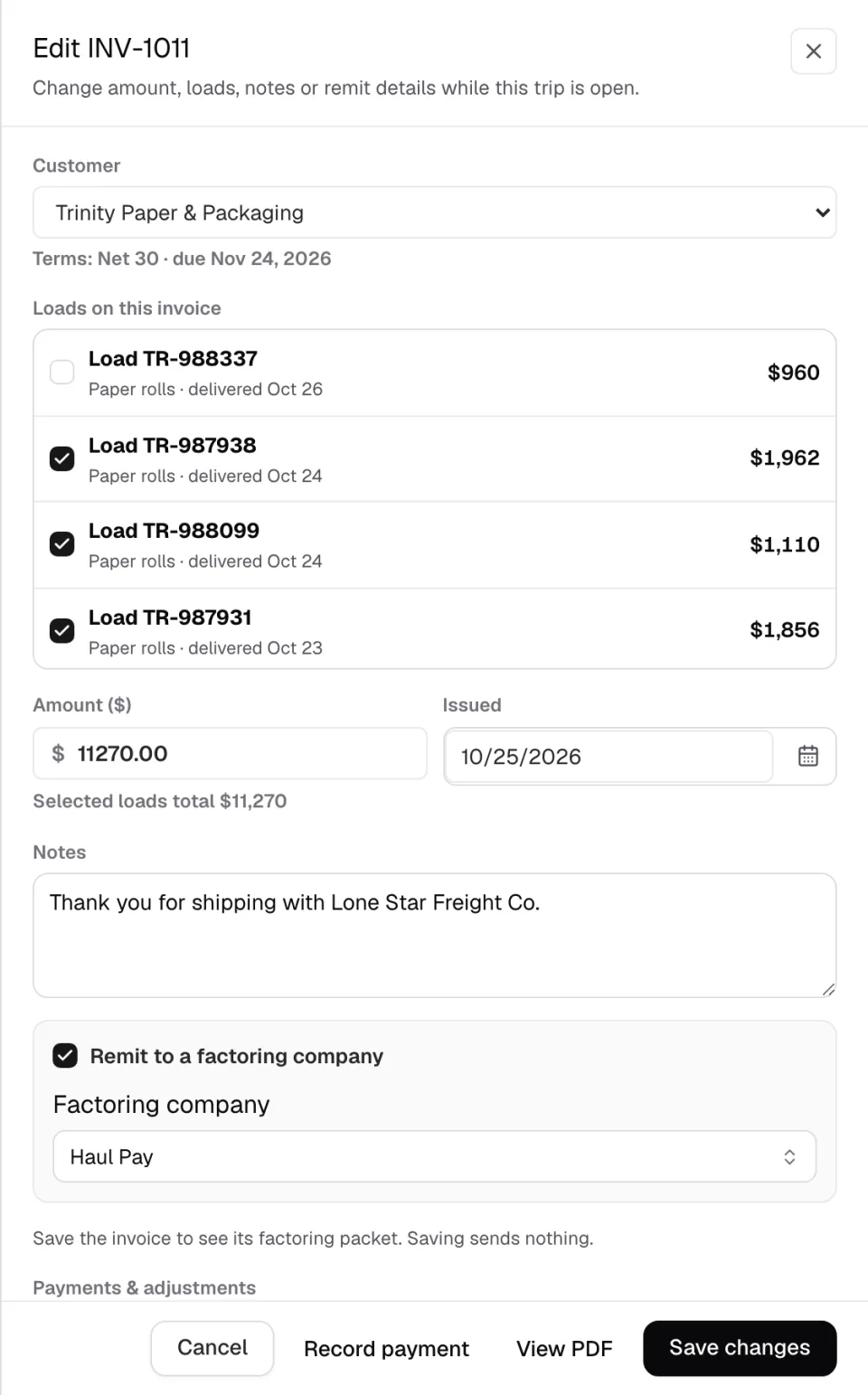
- In Finances, click the invoice number (or Edit invoice), tick Remit to a factoring company, pick Haul Pay, Save changes or Create invoice, then reopen it.
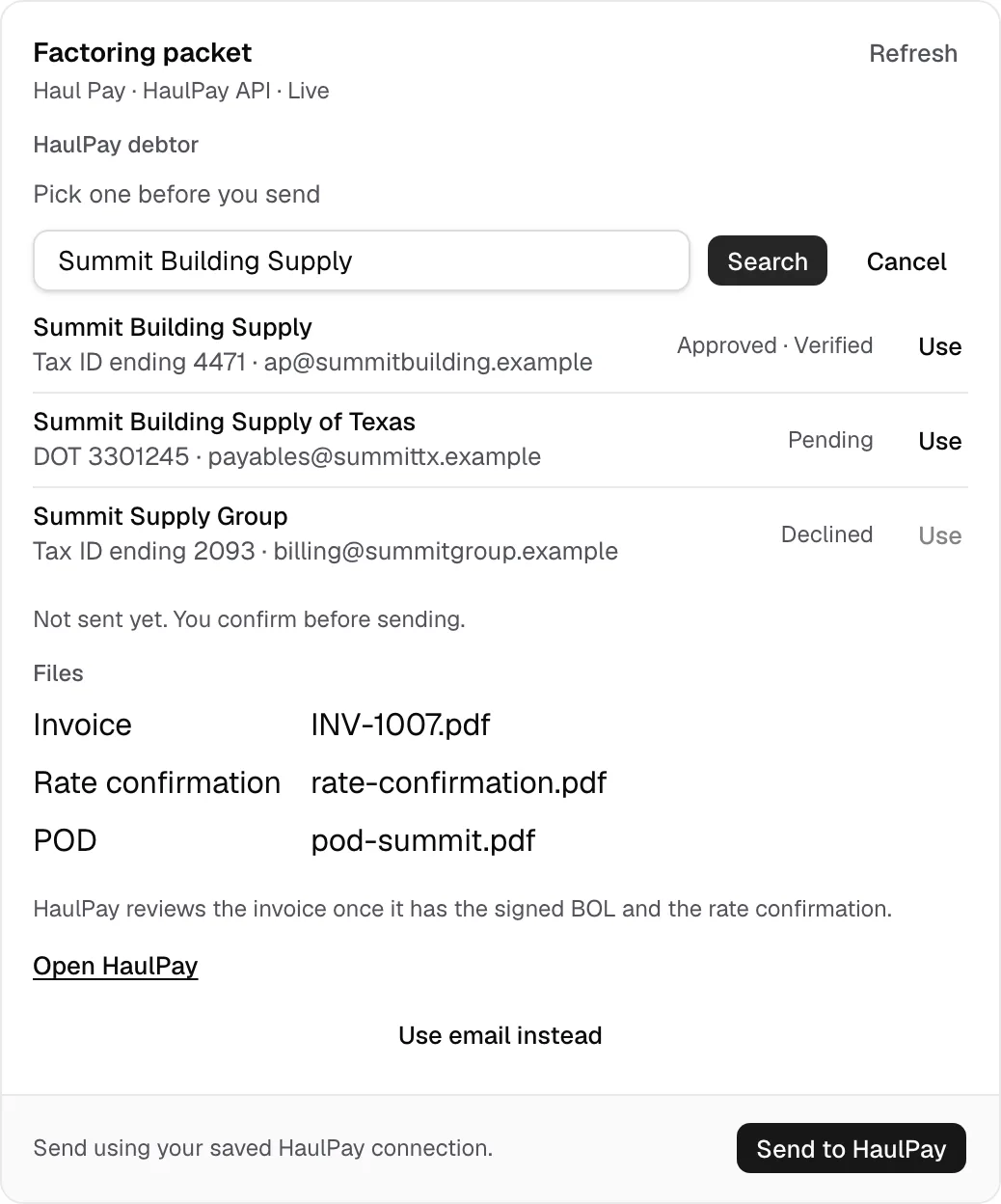
- Under HaulPay debtor, click Pick debtor, Search, Use on the right one. HaulPay must approve it. Skipped? Yolda uses HaulPay's one debtor with the customer's MC number. No MC number? You must pick.
- Click Send to HaulPay. Several: tick them in Open invoices, Create batch, Send (batch guide).
- It reads Uploaded to HaulPay for review. Yolda checks it at midnight and noon, or on Check status. Once funded, click Mark paid.