Connect Telegram to Yolda
Work with Yoldaᴬᴵ and your drivers in your company's Telegram group.
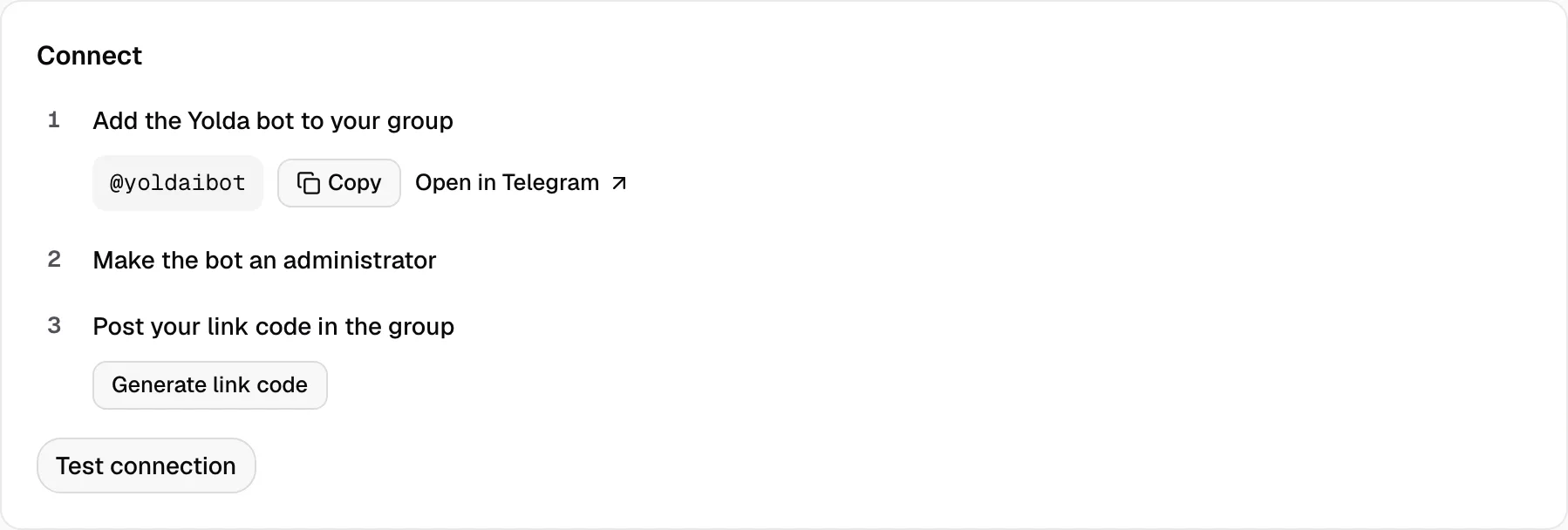
Step 1: Link your group
- Open Integrations, then Telegram.
- Click Open in Telegram, pick your group and confirm. Telegram also asks to make the bot an administrator: accept.
- Not asked? In the group's settings choose Administrators and add
@yoldaibot. Click Copy to take its name. - Click Generate link code, then Copy. Paste it into the group within 30 minutes.
- The page shows Connected. Test connection posts a test message in the group.
Step 2: Connect your own account
- Under Your Telegram account, click Connect my Telegram.
- Click Open private Telegram chat and tap Start.
- Back in Yolda, click Connect this account.
- On the Members tab, check that Can approve is on for you.

Step 3: Give each driver a topic
- In the group's settings, turn on Topics.
- Add the driver, create their topic and copy its link.
- On the Drivers tab, click the driver's name, paste the link and click Save.
- When the driver first writes there, the bot asks if it is them. Tap Yes.

Investors work the same way on the Investors tab.
Step 4: Share loads
- In the driver's topic, send:
Command
/loads- Tap a load to see its stops and next step.
Step 5: Send paperwork
- Send a file to the group. Yoldaᴬᴵ asks What is this?. Tap the answer.
- You can also paste a rate confirmation as text. Attach its file in Yolda later.
- Yoldaᴬᴵ posts a request. Tap Approve to save it. A load is saved as a draft.
- Mention the bot to ask about your loads, drivers or money.